


SISY Framework
The Sample Information System or short SISY is a framework created based on the accumulated knowledge of 15 years of custom sample management systems at the VBC. It consists of an extendable data structure tailored specific to the use of laboratories and scientific groups and a shared code library containing common features and functionalities.
The SISY framework is then extended by a graphical user interface for each forked project as well as implementations of unique features and adaptions based on given requirements.
There are three applications developed and maintained by SIM using the SISY framework: SCCF LIMS, iMOBS and CRYOS
Former SISY framework applications are the VBC Covid19 application and the Boehringer Ingelheim Covid19 application.

SCCF LIMS
The Stem Cell Core Facility Laboratory Information Management System (short SCCF LIMS) extends the typical lab management software with customized steps, guiding users through the processes alongside their sampling handling.
SCCF was the first application created with the SISY Framework and started all the way back in 2016.
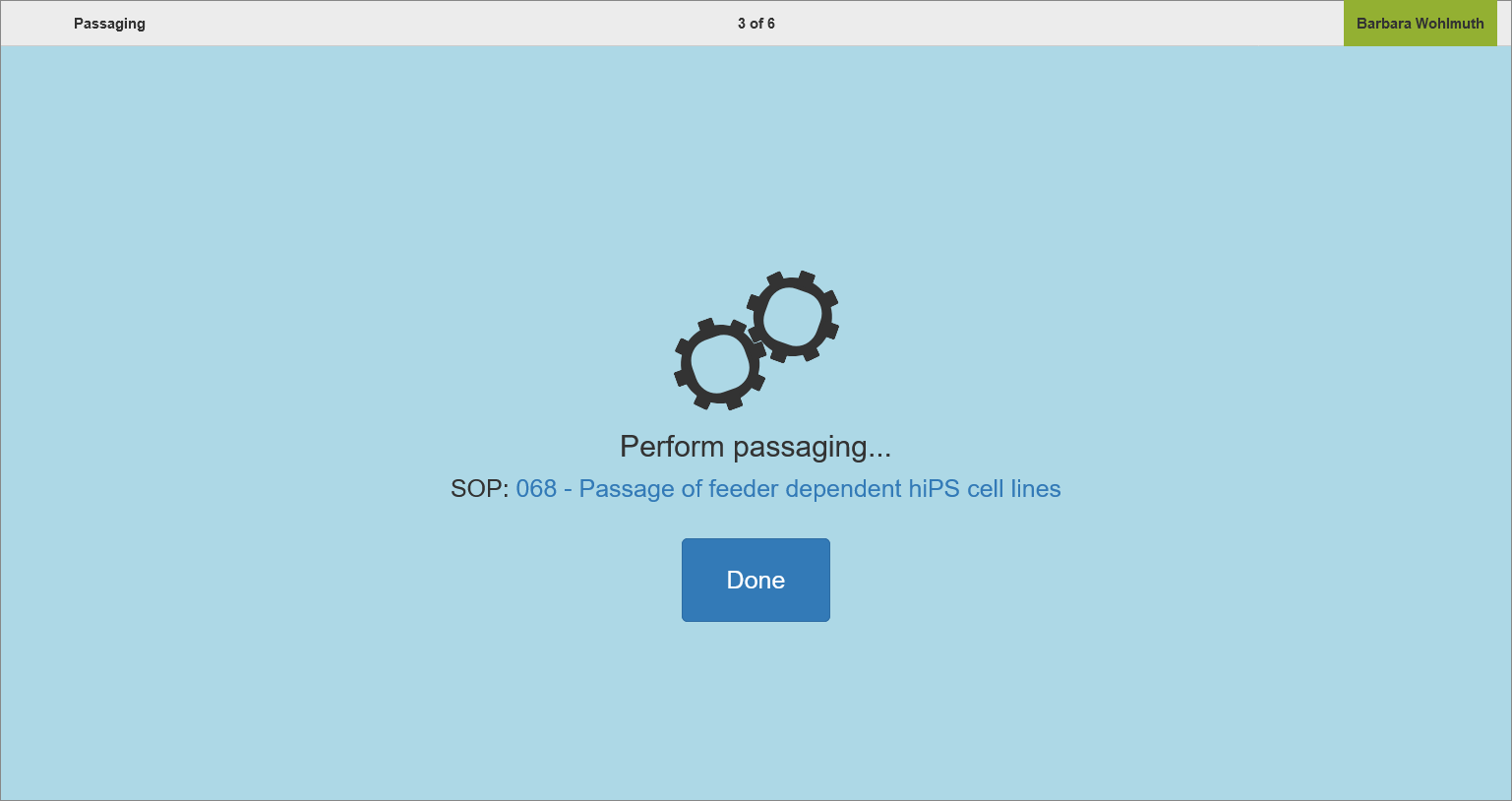
SCCF LIMS | Workflow Passaging
iMOBS
The integrative Management of Biological Samples (short iMOBS) is a joint project of IMP, IMBA and Max Perutz Labs to allow management and sharing of samples across labs.
iMOBS is used by nine laboratories over three different institutes and the fast onboarding allows additional labs to join when the need arises.
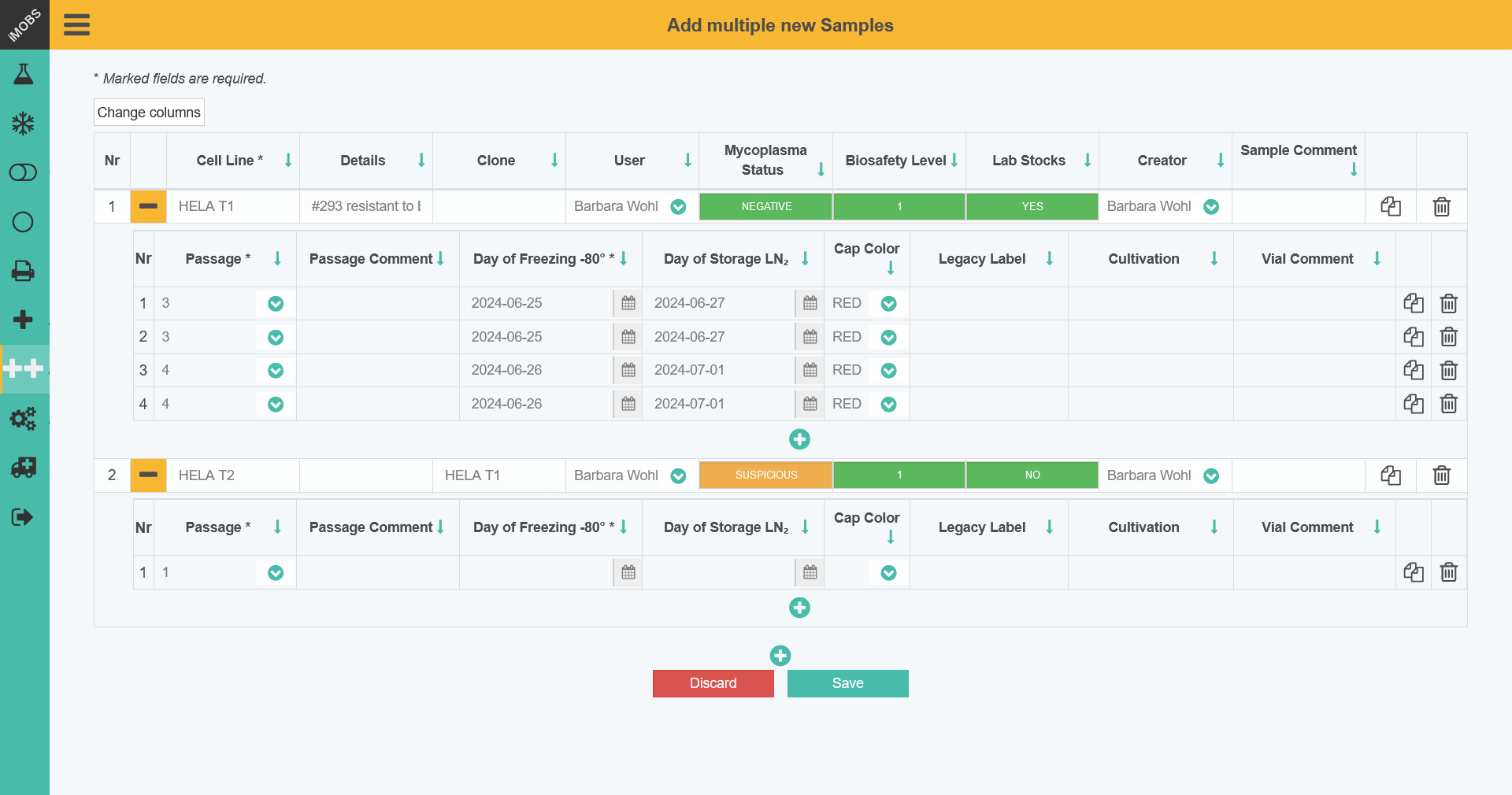
iMOBS | Cell Line Details
CRYOS
The Cryopreservation Management for Sperm and Embryos (short CRYOS) is a tailored application for the Transgenic Core Facility of IMP/IMBA.
It supports its users with the specific task of managing data around the extraction of sperm and embryos from mice, categorization of analytical data and organization in long term storage.
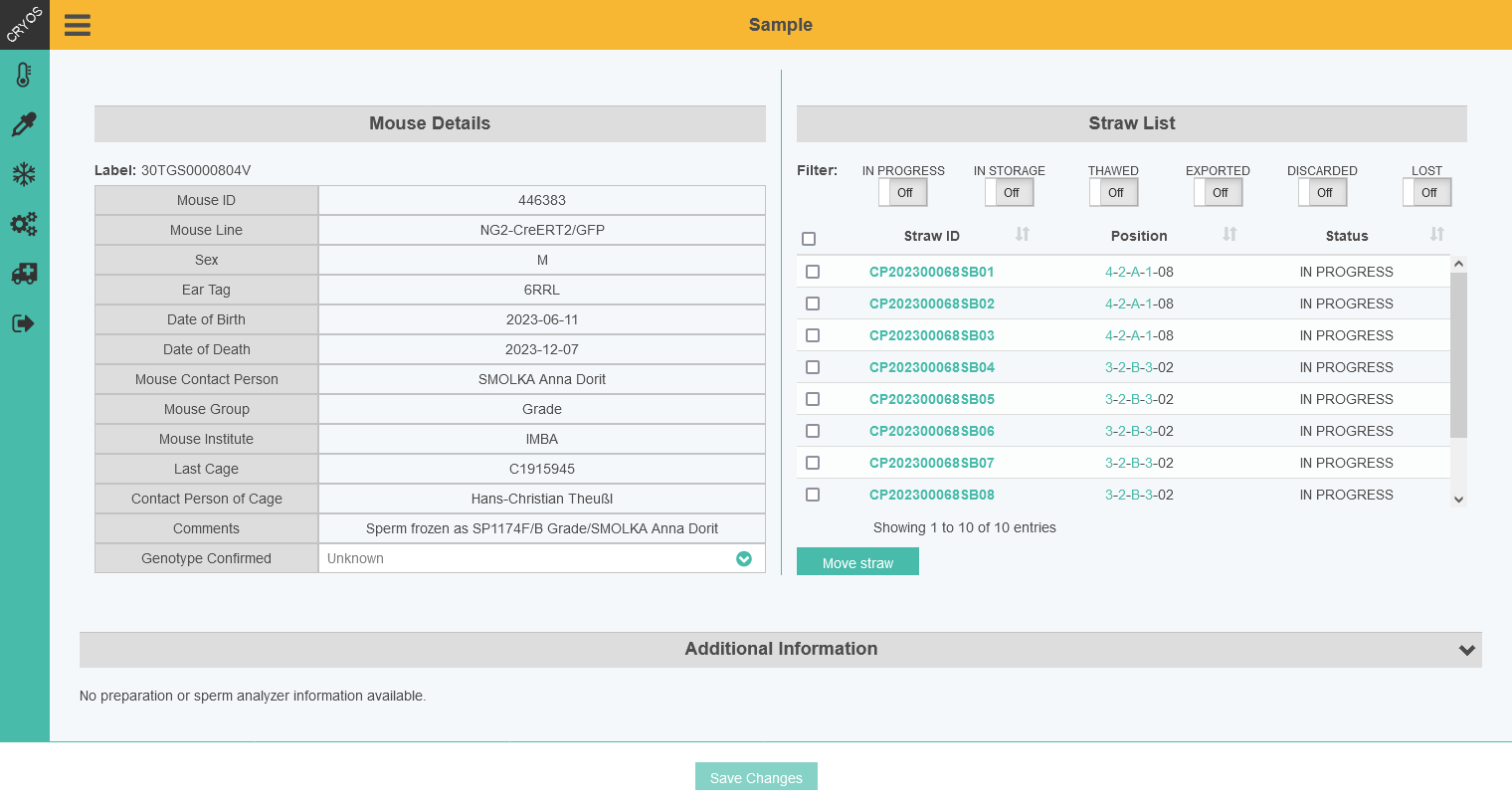
CRYOS | Mouse Details and Straw List
Covid19 Application
Build upon the SISY framework, the VBC Covid19 application was created during the first flair up of the Covid19 pandemic. It allowed to manage test samples, upload results from the labs and inform users about their testing result.
Later the VBC Covid19 application was forked for Boehringer Ingelheim and adjusted to their individual lab needs.
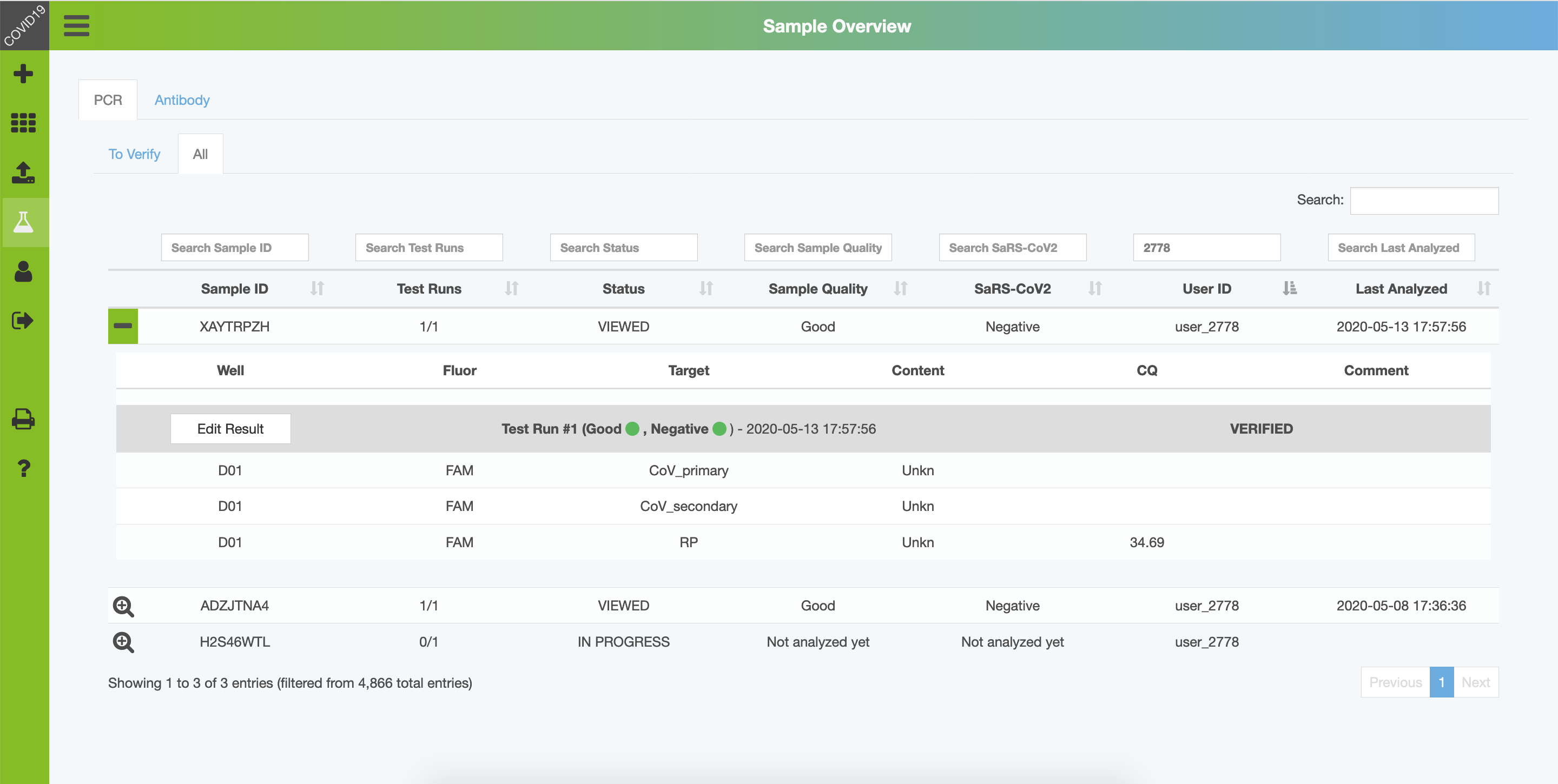
COVID19 Application | Results PCR Run
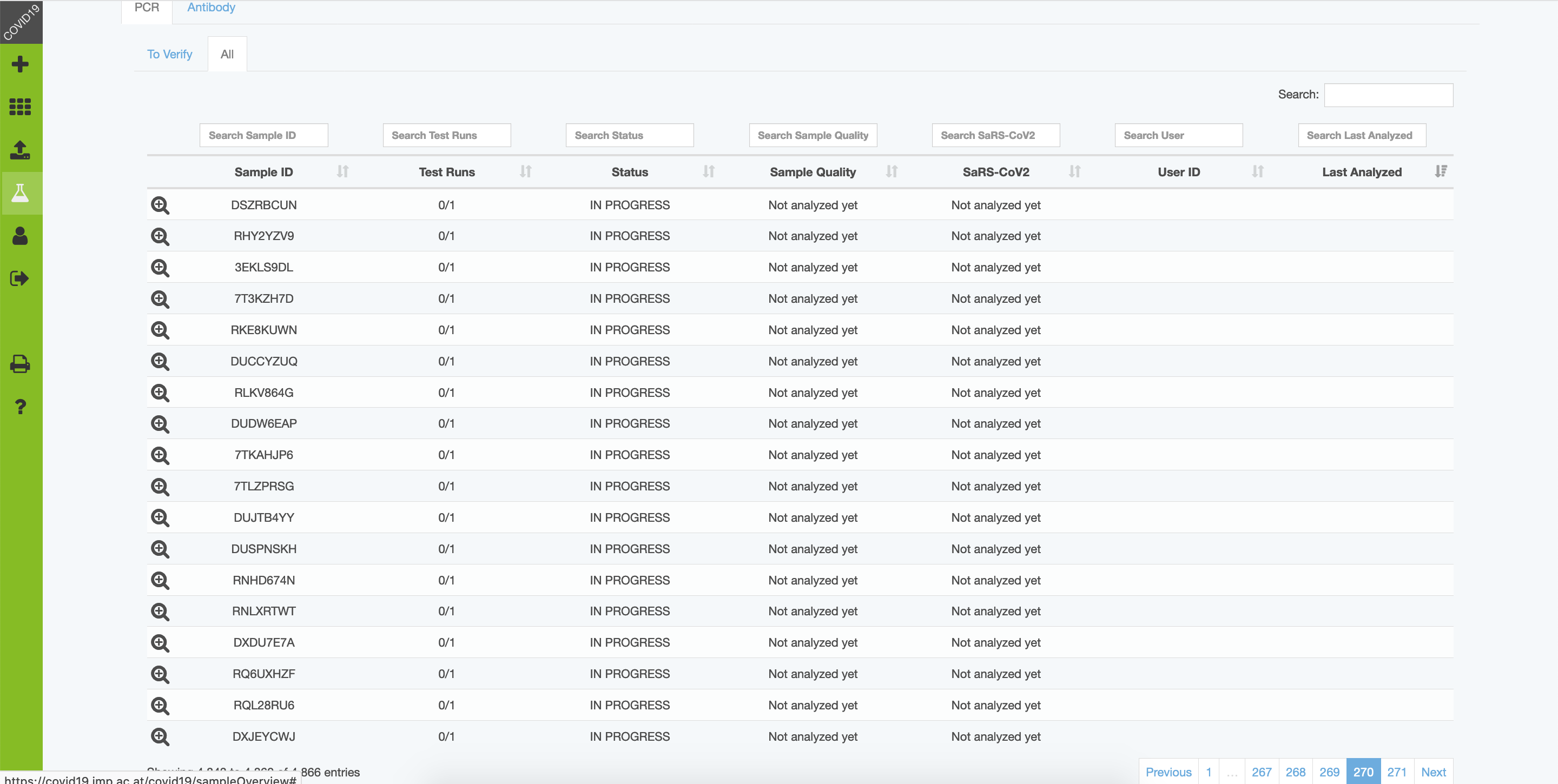
COVID19 Application | Sample Overview
Did you know?
The Vienna BioCenter had a Covid19 testing pipeline up and running by the start of May 2020, before there were any official testing stations available by the Austrian government.
Key Facts

Features
Graphical storage management
Tabular lists of storage spaces are common, but a quick graphical overview of tower configurations or plate placements keeps the lookup time short
Flexible label printing
Sample management starts with sample labelling and not all labels fit every occasion, therefore beside the customized labels, user have the options to print their own
Sample alerts
Routine tasks that are triggered by specific sample changes or time? Use the sample alerts to be automatically notified of samples that need a closer look
Onboarding of new lab members
Labs are a flexible working space and often require to onboard new members, which can be done directly by the lab administrators
Customer result sharing
Sharing sample data or sample results with customers is a vital task for labs and can be cumbersome without a proper channel
Custom sample management
Different labs, different samples - for each application the sample attributes can be defined and therefore labs can manage their samples more efficiently
Media inventory solution
Managing and keeping track of the consumption of media solution and be tedious task without any help, good that this isn't the case
Personal list customization
Even within a lab not every person works the same way, and it is necessary to allow single users to change the display of data to fit their workflow
Custom databases
Sometimes the default structure of an application is simply not enough to cover all the data of a lab
Upload of analyzation data
Adding additional data from external analyzations such as pdf files, images or plain text to samples or vials
Assisted lab procedures
Be it passaging of cells or creating new projects, the assisted procedures are tailored to the specific labs needs and helps lab members perform all tasks
Order request synchronization
Already have another system in place to take order requests from customers? Simply synchronize your orders into the LIMS and start tracking your samples
Import of sample data
Naturally, sample data exists before the usage of a LIMS system and need to be imported before a system can assist with its management
Equipment management
Manage lab equipment such as incubators and hoods, further allowing to record usage of them for samples
Lab collaboration
Scientific labs rarely work in an isolated bubble and samples are often worked on in collaboration or transferred to other groups\
References

Ready for your own custom LIMS solution?
Contact us!FAQs
How do I register for iMOBS, SCCF LIMS or CRYOS?
Contact the lab admin to gain access to the project. If in doubt, contact us and we help you out!
How do I log in?
Open the application and use your campus credentials to log in.
Which labels are supported by SISY?
iMOBS: Ulrich Etiketten product Id: 152580, 4.30 cm x 2.50 cm, landscape format, Polypropylen, white, permanent
iMOBS: Ulrich Etiketten product Id: 121999, 1.00 cm x 4.00 cm, Polypropylen, white, permanent
SCCF LIMS: Brady, FreezerBondz, product Id: 66267 2.54 cm x 2.54 cm Polyester, white, permanent, FreezerBondz 66267 specification
Which labels are deprecated?
Please note – since October 2019 the landscape format is supported by iMOBS. We recommend using this label type instead of the portrait format.
iMOBS: Ulrich Etiketten Product ID: 122000, 2.50 cm x 4.30 cm, portrait format, Polypropylen, white, permanent
Which ribbons are supported by SISY?
Toshiba B-FV4: Toshiba BEV10110AS1 (wide)
Toshiba B-FV4: Toshiba BEV10055AS1 (small)
Toshiba B-EX4/EX6: Toshiba BX760055AS1
Brady BBP33: B30-R6400
Which label printers are supported by SISY?
Toshiba B-EX4T: Manufacturer website for Toshiba B-EX4T
Toshiba B-FV4T-TS14: Manufacturer website for Toshiba B-FV4T-TS14
Brady BBP12: Manufacturer website: Specifications for Brady BBP12 (German)
Brady BBP33: Manufacturer website: Specifications for Brady BBP33 (German)
The low-resolution B-FV4T-GS14 is not supported, resulting in misaligned labels